What you'll need
- Integration Code — a tracking identifier from Admin → Integrations
- API User — an API-only user whose email ends in
@APIUSER.com - API Secret — the API user’s password, shown only once on creation
- Zone URL — optional; Vectis auto-detects this from the API user
1. Create an API-only user
- In Autotask, open Admin → Resources/Users (HR) → Resources/Users.
- Click New. Fill in first/last name (“Vectis” is fine for both). Set the email to something like
vectis@APIUSER.com— the @APIUSER.com domain is required for API-only logins. - On the Security tab, set Security Level to an API User (system) level. If your install doesn’t have one, create a new security level scoped to API access with read on Companies / Tickets / Contracts / Time Entries and write on Tickets / Ticket Notes.
- Set a strong password. Save and copy the password now — Autotask won’t show it again.
Security Level mistakes are the most common source of 403s. Err on the side of a scoped API-only role rather than reusing a staff role.
2. Grab the integration code
- On the same API user, go to the API Tracking Identifier tab.
- Click New, choose Custom (Internal Integration), and name it “Vectis”.
- Save. The resulting Integration Code is what you’ll paste into Vectis.
3. Paste credentials into Vectis
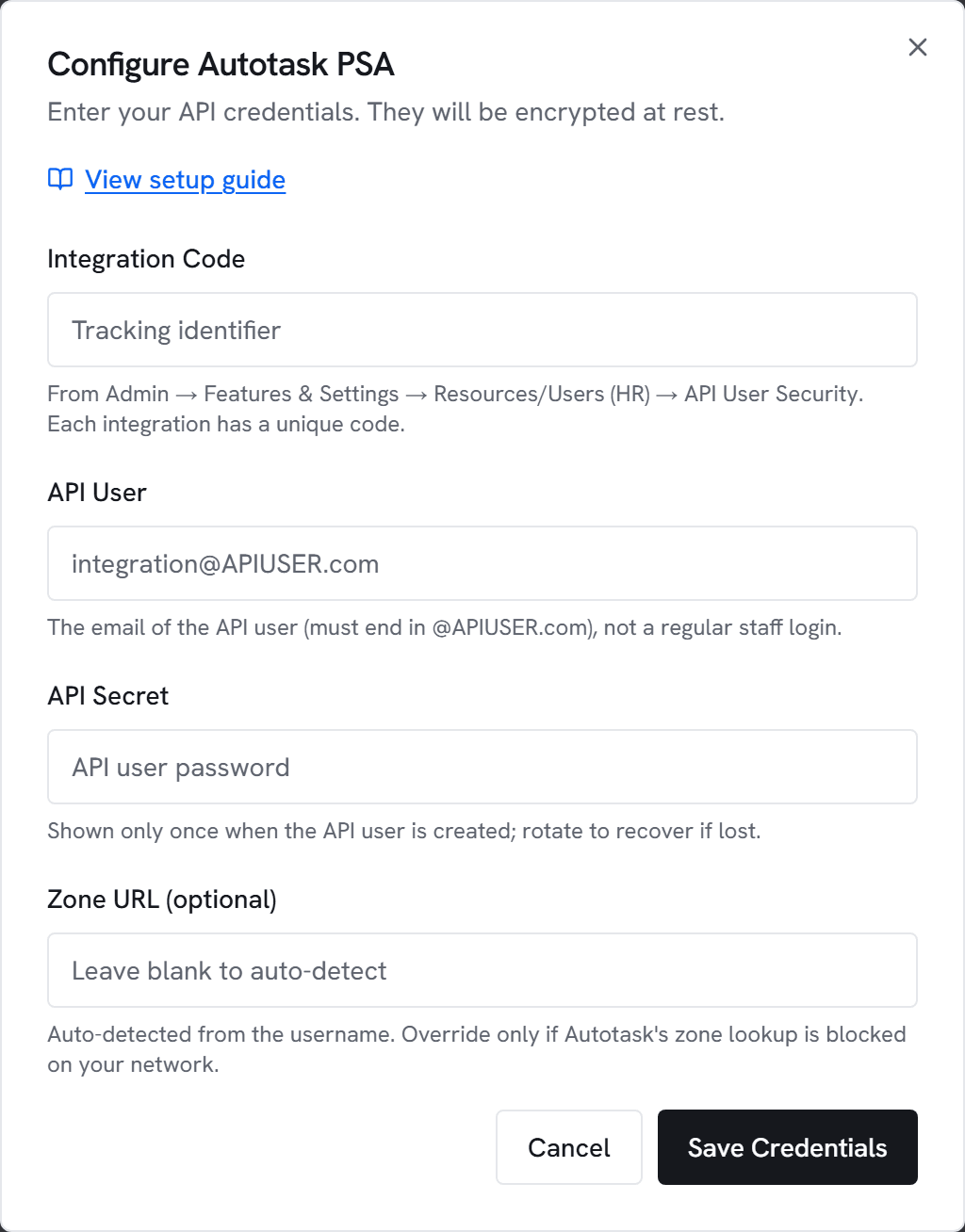
- Go to Admin → Integrations and click Configure on Autotask.
- Paste the integration code, API user email, and secret. Leave Zone URL blank unless you need to override it.
- Click Test. You should see “Connected to Autotask (webservicesN.autotask.net)” within a few seconds.
- Click Save.
4. Configure ticket defaults (for rules)
Autotask requires a Queue and Ticket Category on every new ticket. If you want rules to create tickets, fill in the Ticket defaults box under the Autotask card:
- Queue ID: numeric ID from Admin → Features & Settings → Service Desk → Queues
- Ticket Category ID: numeric ID from Admin → Features & Settings → Service Desk → Ticket Categories
- Status / Priority: optional numeric picklist IDs; rules can override per-action
Common errors
401 Unauthorized — API user email or secret is wrong. The email must end in @APIUSER.com.
403 Forbidden — The security level lacks permission for the endpoint. Use an API User (system)security level (or a clone of one), not a regular staff role.
500 on zone lookup — The zoneInformation call couldn’t resolve the API user. Verify the email, or paste a Zone URL manually if your network blocks the zone lookup host.