What Vectis does with Veeam
- Syncs VSPC companies as Vectis customer accounts — the VSPC company UID is the stable external id, so merges across a rename are safe.
- Tracks every backup job per company — Backup, BackupCopy, Replica, Tape — in the
backup_connectorstable. - Records the latest run state (success / warning / failed / running / stopped) plus last-success + last-attempt timestamps in
backup_connector_status. - Drains the VSPC event stream into
backup_audit_events— events attach to the customer timeline and correlate into open PSA tickets for the same customer.
What you'll need
- VSPC base URL — including port if you run on anything other than 443. The default VSPC portal port is
1280. Example:https://vspc.example.com:1280. - Dedicated VSPC portal user with a read-only role that can see companies, backup jobs, and monitoring. Don’t reuse an existing operator account — a spare key per external tool makes revocation surgical.
- Password for that user. VSPC tokens expire every 15 minutes; Vectis caches + refreshes them transparently, so the password is only consulted on sync start.
- VSPC major version 7 or later. Vectis refuses connections from VSPC v6 and earlier (different REST path + token shape). If you’re on v6, upgrade VSPC before connecting.
1. Mint a dedicated VSPC user
- Sign in to the VSPC portal as an admin (
https://<your-vspc-host>:1280). - Open Configuration → Security → Users.
- Click Add. Username:
vectis-svc(or any name you prefer). Set a strong password and record it — you’ll paste it into Vectis next. - Assign a role that grants read on Companies, Backup Jobs, and Monitoring. VSPC’s built-in Read-only User role is the right starting point if your VSPC version has it; otherwise create a custom role with those three scopes only.
- Save. Log in once as the new user to clear any first-login password-change prompt before pasting credentials into Vectis.
2. Paste credentials into Vectis
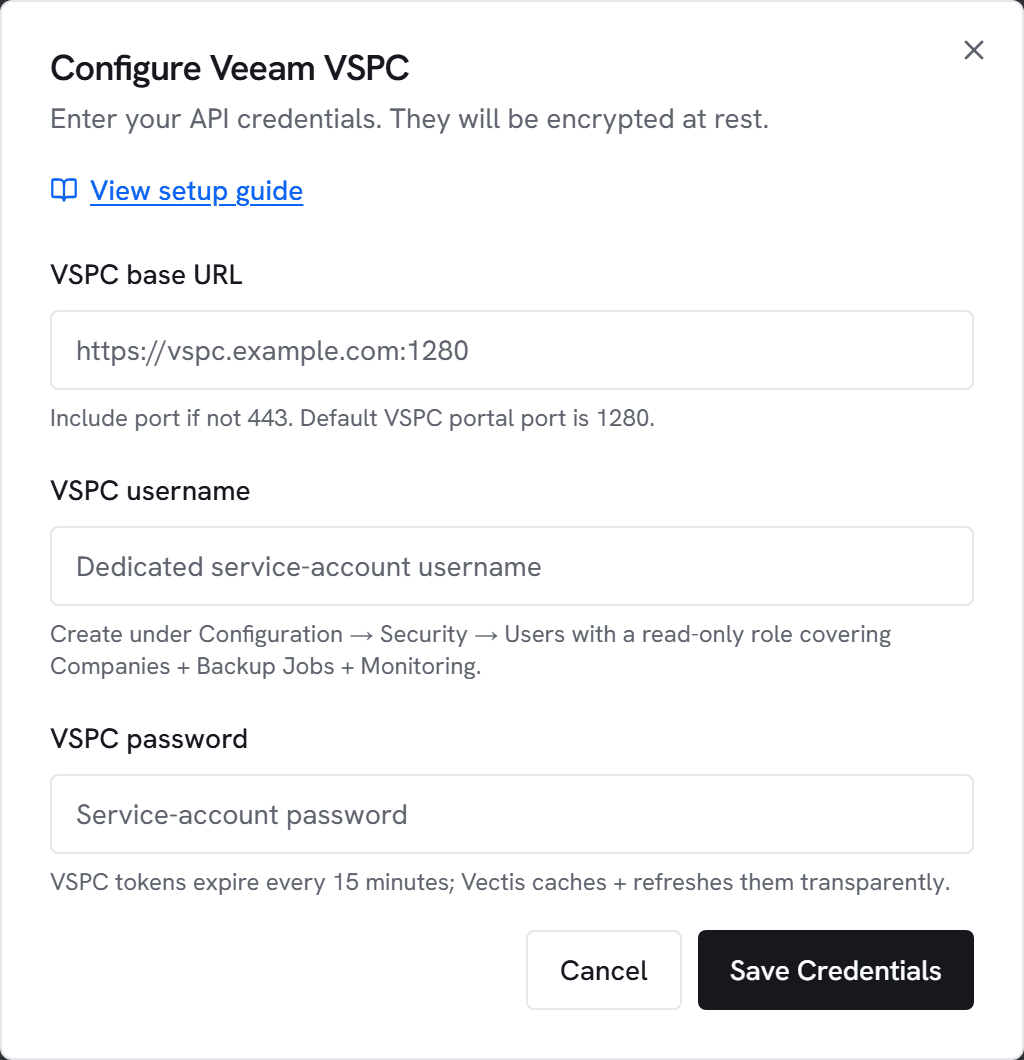
- Go to Admin → Integrations and click Configure on Veeam.
- Paste the VSPC base URL (including port), username, and password.
- Click Test. You’ll see “Connected to Veeam VSPC <version> — N companies visible” within a few seconds.
- Click Save, then trigger an initial sync.
3. What appears where
- Customer hub → Backups section: one row per backup job with the last-run state and last-success timestamp. Displays alongside Datto + Keepit rows when a customer has multiple backup tools.
- Customer timeline: VSPC recovery, security, and connector events attach to the customer timeline. Events that fall inside an open PSA ticket’s window for the same customer auto-attach to the ticket.
- Rules engine: backup-stale and backup-failed triggers fire against Veeam-sourced rows identically to Keepit-sourced rows — same alert templates, same PSA-ticket handoffs.
Limits and caps
- Rate limit: 2 requests per second per connection. VSPC rate limits are per-deployment (every MSP runs their own) and we default conservatively.
- Event window: the first sync pulls the last 14 days of events; subsequent syncs resume from the last-seen event timestamp.
- Event cap: 10,000 events per sync. A VSPC with an extremely noisy audit log won’t stall a single sync window — the cap truncates and resumes next tick.
- Read-only: this phase does not trigger restores, start/stop jobs, or provision repositories. Those write verbs are deliberately out of scope until a design partner validates the need.
Common errors
401 Unauthorized — Username / password pair is wrong. The user must be a VSPC portal user, not a local account on a backup server.
403 Forbidden — The user authenticated but lacks a role that can read companies or jobs. Assign a read-only role that covers Companies + Monitoring and retry.
404 on /api/v3/about — The endpoint isn’t available at that URL. Confirm the VSPC host (not a backup-server host) and that the deployment is VSPC v7 or later.
Version refused — Vectis detected VSPC older than v7. Upgrade VSPC before connecting — v6 uses a different REST path and token shape that we don’t support.
Connection timed out — Vectis couldn’t reach the VSPC host. VSPC is self-hosted per MSP; make sure the host is reachable from wherever Vectis runs (public DNS or peered internal network).