What you'll need
- Username & Password — your Keepit master admin login credentials. This is the simplest way to connect.
- Region — the subdomain prefix of your Keepit URL (the datacenter). Example: if you log in at
https://us-dc.keepit.com, the region isus-dc. - Account GUID — your MSP’s parent account ID. Find it in your Keepit URL: the value after
/users/when you’re viewing your account list. Example:https://us-dc.keepit.com/users/y17hbi-i620pk-80q5x2.
API token (optional): If you prefer to use a dedicated API token instead of your admin credentials, generate one in Keepit → Users → Edit User → Security → Add API token. The token gives you a Login and Password pair — paste those into the optional API Token fields. When both API token fields are filled, they take priority over username/password.
1. Find your region and account GUID
Log in to Keepit and look at your URL. It contains both values:
https://[region].keepit.com/users/[account-guid]
https://us-dc.keepit.com/users/y17hbi-i620pk-80q5x2→ regionus-dc, account GUIDy17hbi-i620pk-80q5x2https://dk-co.keepit.com/users/abc123-def456-ghi789→ regiondk-co, account GUIDabc123-def456-ghi789
2. Save in Vectis
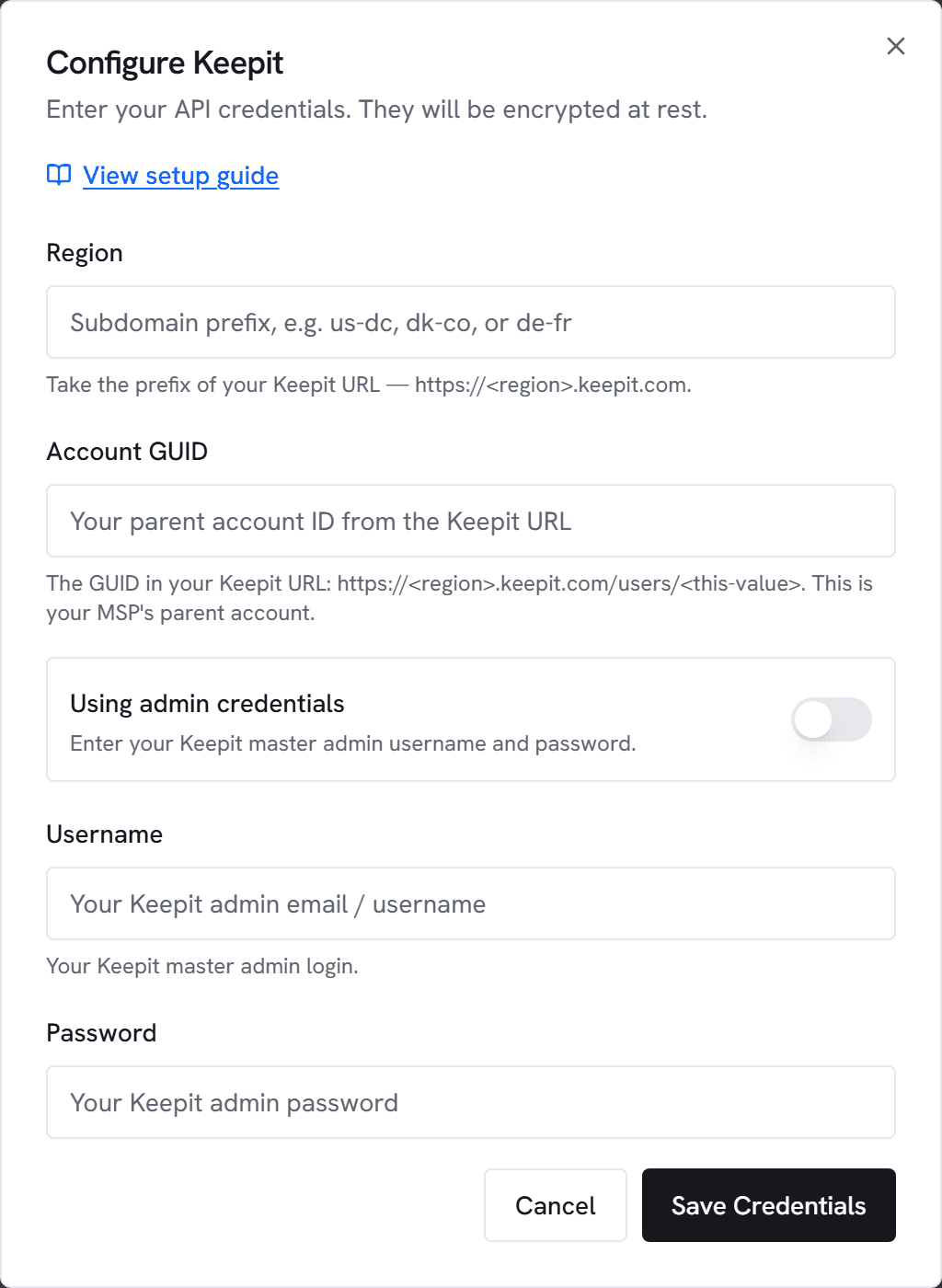
- In Vectis, go to Admin → Integrations and click Configure on the Keepit card.
- Enter your Keepit username, password, region, and account GUID. API token fields are optional.
- Click Test connection. A success message shows the number of customer accounts visible under your parent account.
- Toggle Enabled on and save. The first sync runs within 15 minutes; subsequent syncs are incremental.
What Vectis syncs
- Every child account under your parent GUID → a
customersrow (auto-matched to existing PSA customers by company name). - Every connector under each account (M365 / Entra / Google / Salesforce / etc.) →
backup_connectors. - The latest backup timestamp + status per connector →
backup_connector_status. - Audit-log events (user, account, connector, connection, recovery, reporting, security, compliance) drained on a rolling 14-day window →
backup_audit_events, which feed the customer-timeline stream.
Alerts Vectis can fire
- Backup stale — no successful backup for a connector within the configured threshold (default 48 hours). Configure in Alerts → New rule → Backup Stale.
- Backup failed — a recovery / connector failure event hit the audit log inside the configured lookback.
What Vectis does NOT do
- No restore actions. Restores stay in Keepit.
- No “trigger backup” actions. Backup schedules stay in Keepit.
Public references
- Make the API work for you — overview of the Keepit API surface.
- SIEM integration guide — describes HTTP Basic auth + audit-log endpoint.
- Using the Keepit audit log — the eight event categories (user, account, connector, connection, recovery, reporting, security, compliance).