Alert-driven ticketing with Autotask defaults
Vectis saves your Autotask queue + ticket category + default status / priority IDs, so rules that fire on RMM alerts produce correctly-routed tickets without hand-picking numeric IDs on every rule.
PSA integration

Autotask accounts, tickets, and contracts joined to every other tool you run — one page per customer.
What Vectis syncs
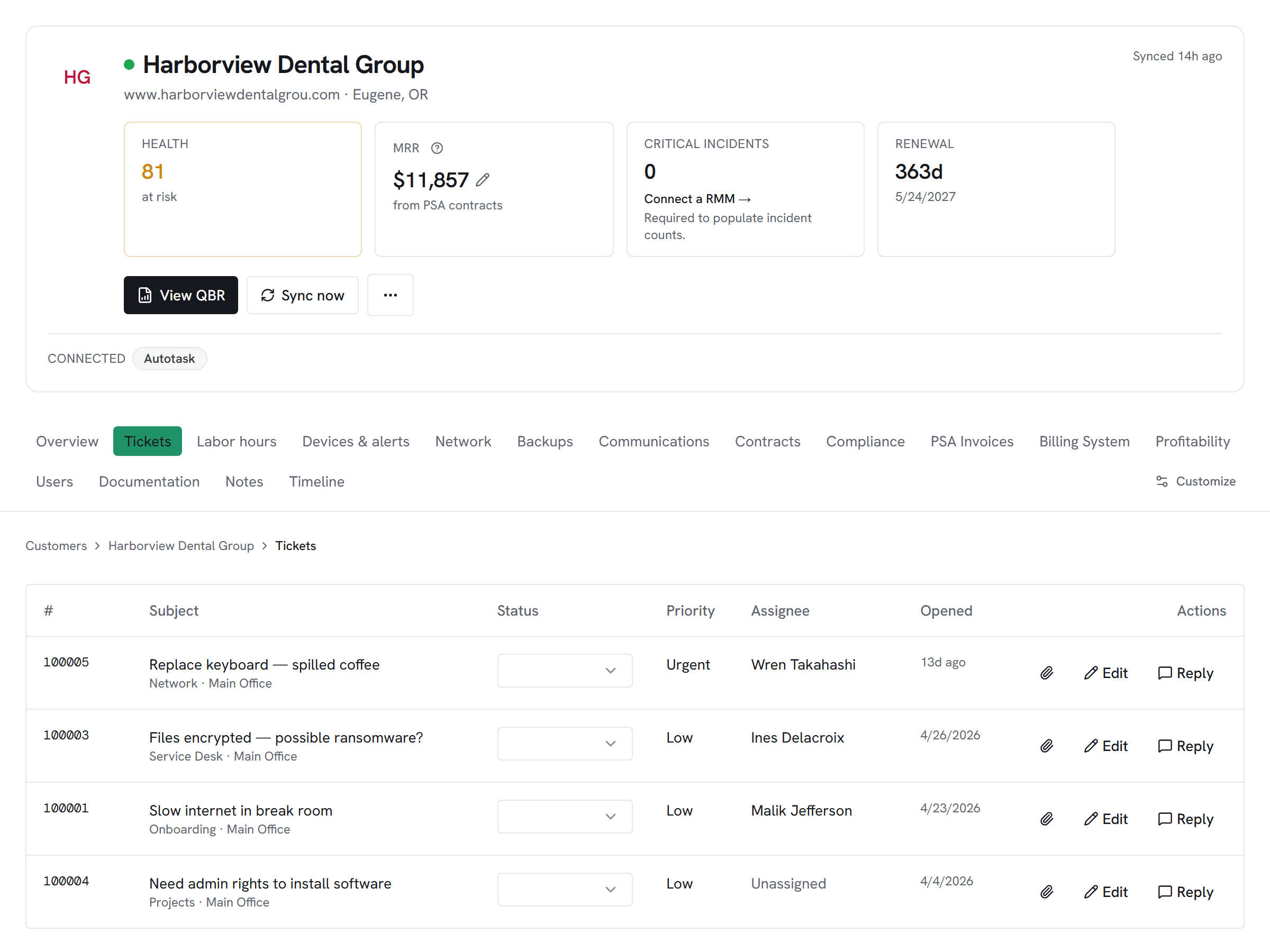
Autotask companies become Vectis customer accounts on first sync, and from there Vectis pulls every ticket — with status, priority, queue, category, and the resources assigned. Contracts and contract services come in as the billing rail behind margin and leakage calculations. Time entries and ticket notes land per ticket, and resources + contacts sync so rules can route work to the right assignee without manually translating Autotask's numeric IDs.
What you can do
Reply to an Autotask ticket from the customer hub and it posts as a public ticket note in Autotask; drop a private note and it stays internal. Move a ticket through Autotask's status workflow from Vectis. Rule-driven ticket creation uses your saved defaults — Vectis stores your preferred queue, ticket category, and default status / priority IDs once, so rule authors pick the trigger and the routing instead of hunting through picklists every time.
Honest about the limits
Autotask requires numeric IDs for queue, category, status, and priority on every ticket-create call — Vectis hides that with saved workspace defaults, but the underlying constraint is the vendor's, not ours. If your network blocks Autotask's zone-detection endpoint, you'll need to set the zone URL manually; Vectis tries automatic detection first.
How it correlates
Autotask PSA on the customer account hub alongside every other system you run — not a standalone dashboard. A few of the most common shapes this takes:
Vectis saves your Autotask queue + ticket category + default status / priority IDs, so rules that fire on RMM alerts produce correctly-routed tickets without hand-picking numeric IDs on every rule.
One customer's timeline merges Autotask ticket events with RMM alerts, backup runs, invoices, and Vectis internal notes — source-tagged and chronological. Replay any day in the customer's history without opening five systems.
Setup snapshot
Autotask wiring starts in Admin → Features & Settings → Resources/Users (HR). Create a dedicated API user for Vectis with a matching integration code; Autotask requires the username to end in @APIUSER.com, and the secret is shown only once at creation, so capture it then or you'll need to reset it. Paste the username, secret, and integration code into Vectis; the zone URL is auto-detected from the username unless your network blocks the lookup, in which case you can override it. Once the credentials test passes, Vectis pulls companies, tickets, and contracts on the initial sync and stores your preferred queue, category, status, and priority IDs so rule-driven ticket creation routes correctly without hand-coded IDs.
# In the Vectis hub, add the connector:
category  PSA
vendor    Autotask PSA
status Read + WriteOther PSA integrations
Pricing
Autotask PSA is available on every Vectis tier — $299/mo and up. See pricing
Also reachable over MCP — bring your own client → /mcp