Alert ↔ PSA ticket, bidirectional
A Ninja alert fires, a rule opens a PSA ticket, and Vectis links the two. When the ticket closes, a companion rule acks the Ninja alert. No more alerts that stay noisy long after the work is done.
RMM integration

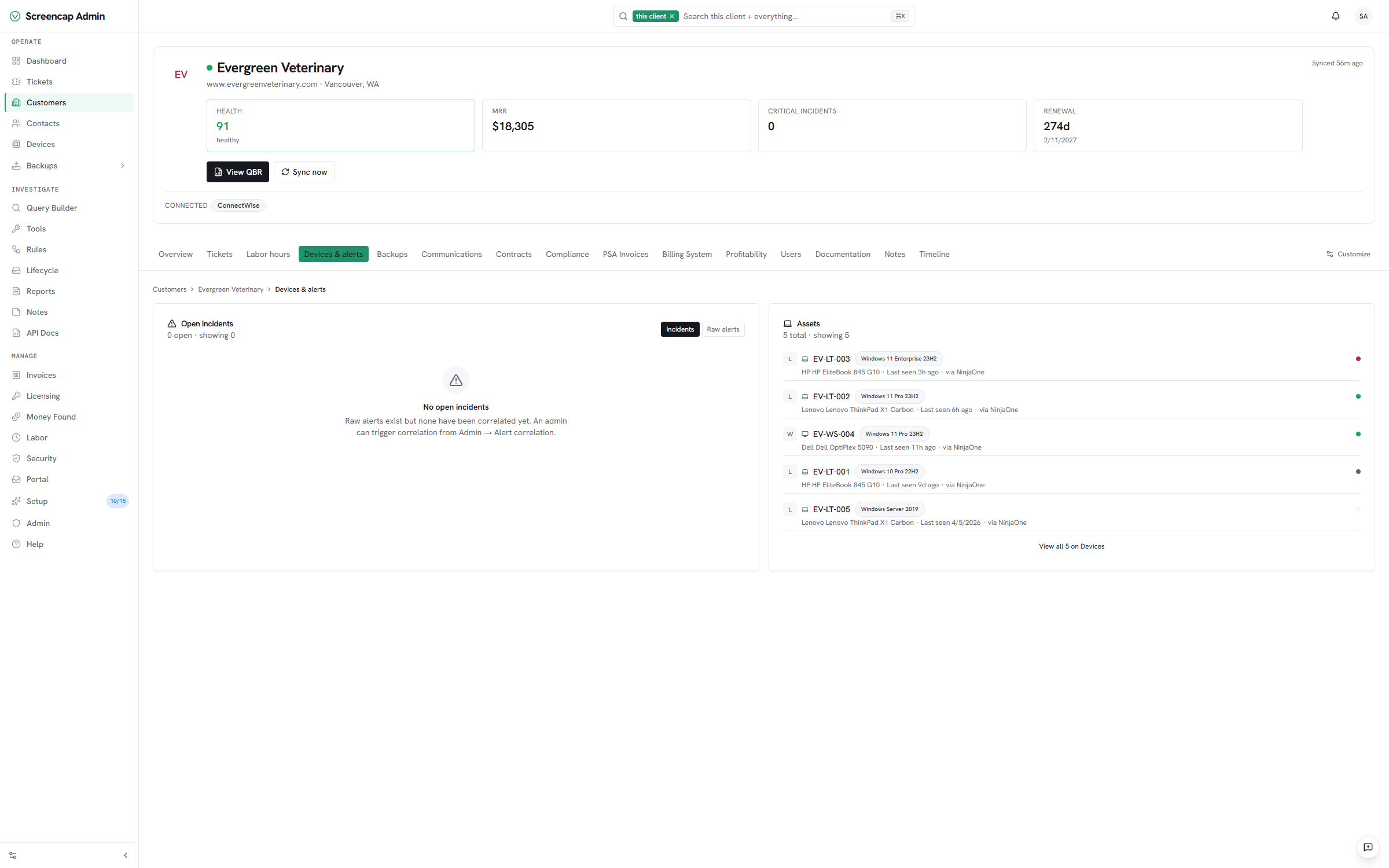
NinjaOne organizations, devices, and alerts mapped to the customer hub — and inline actions back into Ninja.
What Vectis syncs
Every NinjaOne organization becomes a Vectis customer account on first sync, and from there Vectis pulls each device with its health, operating system, disk, memory, and last-seen timestamp. Active alerts come in tagged by severity so the customer hub can surface what's actually on fire right now. Patch and maintenance posture per device fills out the picture — refresh candidates and patch-stragglers surface without exporting a separate report.
What you can do
From the customer hub you can acknowledge a Ninja alert when a tech is on it, or resolve it once the underlying issue is fixed — both write back to Ninja in real time and audit-log inside Vectis. The same ack and resolve verbs are available to rules, so a closing PSA ticket can auto-resolve the originating Ninja alert without anyone clicking through to Ninja. That bidirectional link is what keeps the alert noise out of Ninja after the work is already done.
Honest about the limits
NinjaOne's region matters: us, eu, ca, and oc each have separate API hosts, and the wrong region answers with empty data rather than an authentication error — Vectis tests with /v2/organizations on save to catch that explicitly. Webhooks are optional but heavily recommended for high-alert tenants; the polling-only path works fine, but webhooks shave the latency from minutes to seconds.
How it correlates
NinjaOne on the customer account hub alongside every other system you run — not a standalone dashboard. A few of the most common shapes this takes:
A Ninja alert fires, a rule opens a PSA ticket, and Vectis links the two. When the ticket closes, a companion rule acks the Ninja alert. No more alerts that stay noisy long after the work is done.
Every Ninja device shows up on its mapped customer hub with warranty + age + health from the lifecycle module. Spot refresh candidates without a separate report.
Setup snapshot
NinjaOne is a few clicks to wire. In NinjaOne, open Administration → Apps → API → Client App IDs and create a client-credentials application; Ninja shows the Client Secret only once at creation, so capture it immediately. Paste the Client ID and Client Secret into Vectis along with your region (us, eu, ca, or oc — the region must match the URL you log into Ninja at, or the API returns empty data). Vectis tests with a paginated /v2/organizations query before saving. The first sync pulls organizations, devices, and active alerts; an optional webhook subscription keeps alerts current without waiting for the next poll cycle.
# In the Vectis hub, add the connector:
category  RMM
vendor    NinjaOne
status Read + WriteOther RMM integrations
Pricing
NinjaOne is available on every Vectis tier — $299/mo and up. See pricing
Also reachable over MCP — bring your own client → /mcp