Network integration

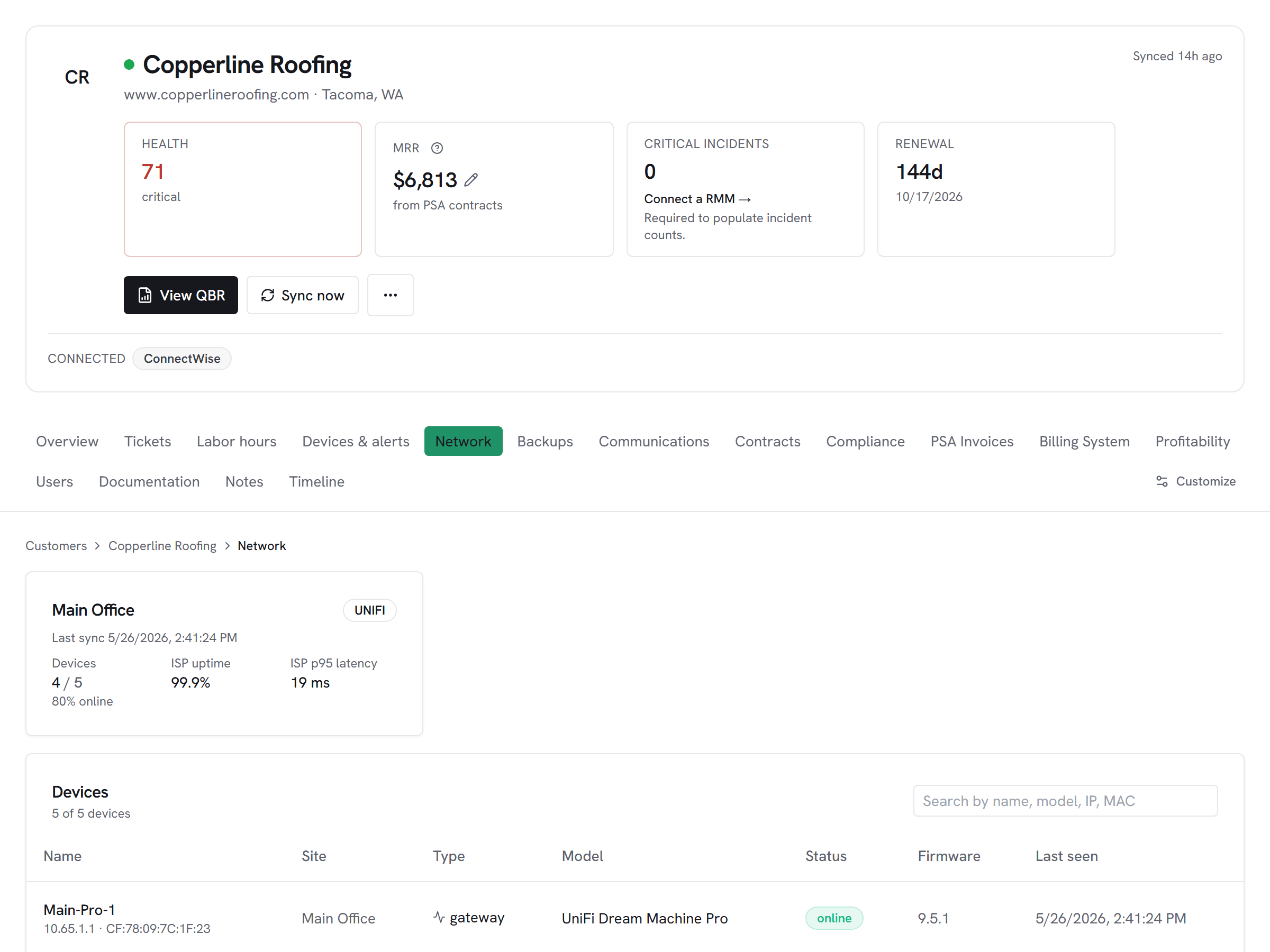
UniFi sites, devices, and ISP health on every customer's account hub. One MSP-scoped API key covers every customer console.
What Vectis syncs
The read side of the adapter. Pulled on a schedule and available everywhere the customer account surface lives.
Read-only today
This adapter pulls data into Vectis but doesn’t write back into UniFi (Ubiquiti). Rules can still react to the synced data — for example, a Pax8 subscription change can open a ConnectWise ticket or a HaloPSA action. The write-back lands in the PSA, not in UniFi (Ubiquiti).
How it correlates
Vectis is about UniFi (Ubiquiti) joining your other systems around the customer account — not a standalone dashboard. Two concrete examples:
A site's ISP uptime dropping correlates against tickets opened by users at that site. The customer hub shows both, in chronological order — no jumping between Site Manager and the PSA to confirm "yes, the internet was down when they called."

An MSP customer with parent + sister companies sharing infrastructure can have multiple Vectis customers map to UniFi sites under one console. The portal scopes per Vectis customer; the workspace shows everything.
Setup snapshot
Generate a Site Manager API key at unifi.ui.com → Profile → API Keys. Paste it into Vectis admin → Integrations → UniFi. The first sync auto-discovers every UniFi console (host) under your UI account; map each site to a Vectis customer in the same admin screen. Only mapped sites surface to customer pages; unmapped consoles (e.g., your own home network on the same UI account) stay hidden. The Site Manager API is read-only — no write-back surface is offered.
Full setup guideavailable after signup
14-day free trial. Connect UniFi (Ubiquiti) at signup. See every customer with their full context on day one. Cancel anytime during the trial at no charge.