
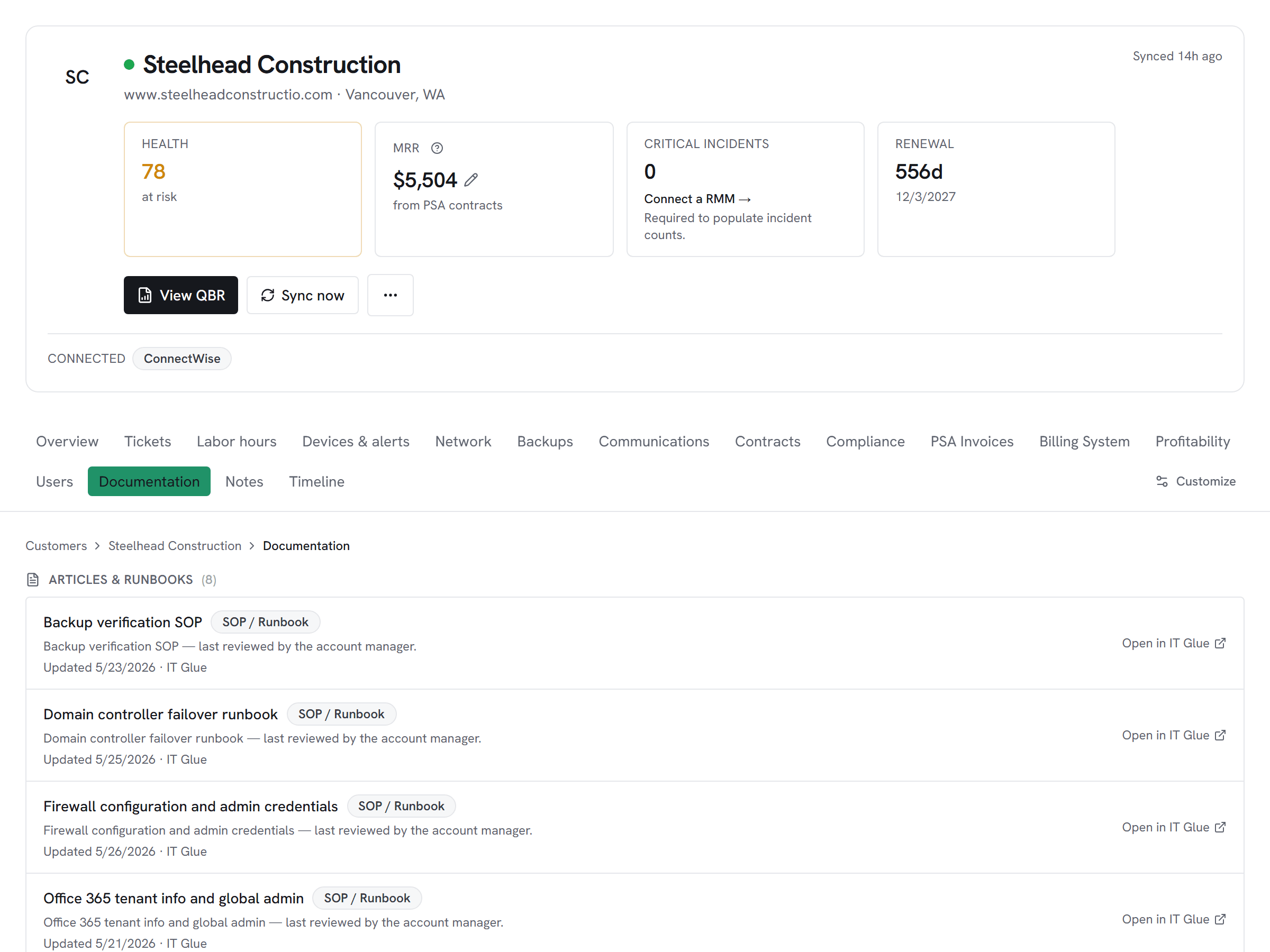
Documentation integration
Documentation from IT Glue on the customer hub alongside tickets, alerts, and backups — without ever syncing password secrets.
What Vectis syncs
The read side of the adapter. Pulled on a schedule and available everywhere the customer account surface lives.
Read-only today
This adapter pulls data into Vectis but doesn’t write back into IT Glue. Rules can still react to the synced data — for example, a Pax8 subscription change can open a ConnectWise ticket or a HaloPSA action. The write-back lands in the PSA, not in IT Glue.
How it correlates
Vectis is about IT Glue joining your other systems around the customer account — not a standalone dashboard. Two concrete examples:
A dispatcher opens a customer and sees IT Glue documents + configurations in-page — no 'one sec, let me open IT Glue in another tab' while the customer waits. IT Glue remains the source of truth; Vectis links back for passwords and rich rendering.

If you run Hudu somewhere and IT Glue somewhere else (common during a migration), both sources land in the same documentation table per customer — source-tagged. The hub shows you every runbook regardless of which platform stores it.
Setup snapshot
In IT Glue, go to Account → Settings → API Keys and mint a key under a role that can View Organizations, Documents, Configurations, Flexible Assets, and Password metadata. Paste the key into Vectis and pick your region (US / EU / AU — must match the IT Glue URL you log in at). Vectis tests with a single-row /organizations probe before saving. Passwords are never synced — the UI links out to IT Glue when a tech needs the secret, and the adapter refuses to call show_password=true or the singular /passwords/:id endpoint under any code path.
Full setup guideavailable after signup
14-day free trial. Connect IT Glue at signup. See every customer with their full context on day one. Cancel anytime during the trial at no charge.