
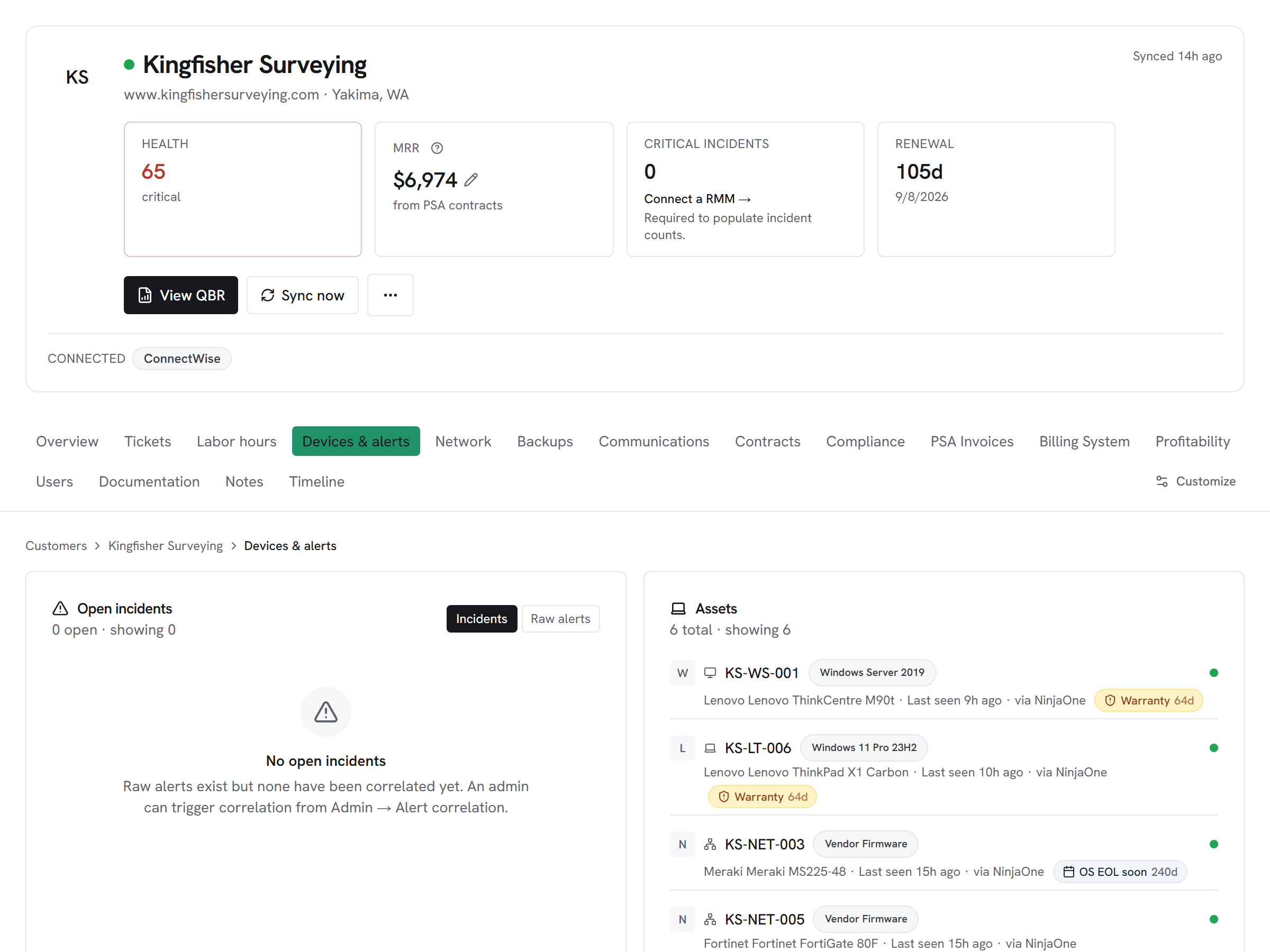
Asset lifecycle integration
Warranty expiry, purchase date, and end-of-life data from ScalePad — on every device in the customer hub, regardless of which RMM manages it.
What Vectis syncs
The read side of the adapter. Pulled on a schedule and available everywhere the customer account surface lives.
Read-only today
This adapter pulls data into Vectis but doesn’t write back into ScalePad Lifecycle Manager. Rules can still react to the synced data — for example, a Pax8 subscription change can open a ConnectWise ticket or a HaloPSA action. The write-back lands in the PSA, not in ScalePad Lifecycle Manager.
How it correlates
Vectis is about ScalePad Lifecycle Manager joining your other systems around the customer account — not a standalone dashboard. Two concrete examples:
ScalePad sources warranty data directly from manufacturer APIs. After the sync, each device in Vectis shows the ScalePad-verified expiry date — not an estimate from the RMM agent. Devices expiring in the next 90 days surface in the lifecycle module automatically.
The customer hub shows each device's warranty status, purchase date, and estimated refresh value alongside PSA tickets and RMM alerts. When a device is past standard lifespan or within 90 days of warranty expiry, the lifecycle engine fires an event — no manual export needed.
ScalePad warrant enrichment updates NinjaOne, Kaseya, N-able, and Atera assets by serial number in a single sync. A refresh report across your full fleet doesn't require running four separate RMM reports — it comes from the Vectis asset table with ScalePad dates on every row.
Setup snapshot
In ScalePad, go to Manage your account → API → + New API key and generate a dedicated key for Vectis. Copy the key into Vectis — that's it. ScalePad is SaaS-only with a fixed endpoint; no region or tenant URL is needed. Vectis tests with a paginated clients query before saving. The first sync pulls all clients and hardware assets; subsequent syncs are full pulls (ScalePad's list endpoints don't support incremental filters). Warranty dates are written back to matching RMM assets by serial number on every sync.
Full setup guideavailable after signup
14-day free trial. Connect ScalePad Lifecycle Manager at signup. See every customer with their full context on day one. Cancel anytime during the trial at no charge.